How to Follow Up With Leads Faster (and Stop Losing Enquiries)
Why slow follow-up loses customers, a simple follow-up plan for small businesses, message templates, and what to automate first.

4 min read


In this article8 sections
Most small businesses don't have a lead problem; they have a follow-up problem. Enquiries arrive from WhatsApp, Instagram, the website, Google and calls, and some of them get answered hours later, or never. Meanwhile the customer has already contacted two other businesses.
This guide covers why speed matters, a simple follow-up plan you can start today, and which parts to automate.
Why slow follow-up costs you sales#
- Customers compare options. When someone sends an enquiry, they often message several businesses at once. The first helpful reply has a big advantage.
- Interest fades quickly. The moment someone enquires is when they care most. A day later, they may have moved on.
- Leads get lost. When enquiries are spread across several phones, inboxes and apps, some are simply forgotten.
Step 1: Put every enquiry in one place#
You can't follow up on leads you can't see. List every place enquiries come from:
- WhatsApp chats
- Instagram and Facebook DMs and comments
- Website contact forms
- Google Business Profile calls and messages
- Phone calls and walk-ins
Then bring them into a single list or inbox, even if that starts as a shared spreadsheet. Record the name, contact, source, what they want, and the next follow-up date.
Step 2: Reply within minutes, not hours#
Set a target, such as replying to every new enquiry within 15 minutes during business hours. Outside business hours, an automatic reply should at least acknowledge the message and say when you'll respond. Our guide to WhatsApp greeting and away messages shows how to set that up for free.
Your first reply should:
- Thank them and answer their question if you can.
- Ask one question that moves things forward.
- Make the next step easy.
Hi Ravi, thanks for your enquiry about our 2BHK flats in Vijay Nagar! Prices start at ₹48 lakh. Would you like to visit the site this weekend? Saturday and Sunday, 11 am–5 pm, are open.
Step 3: Follow a simple follow-up schedule#
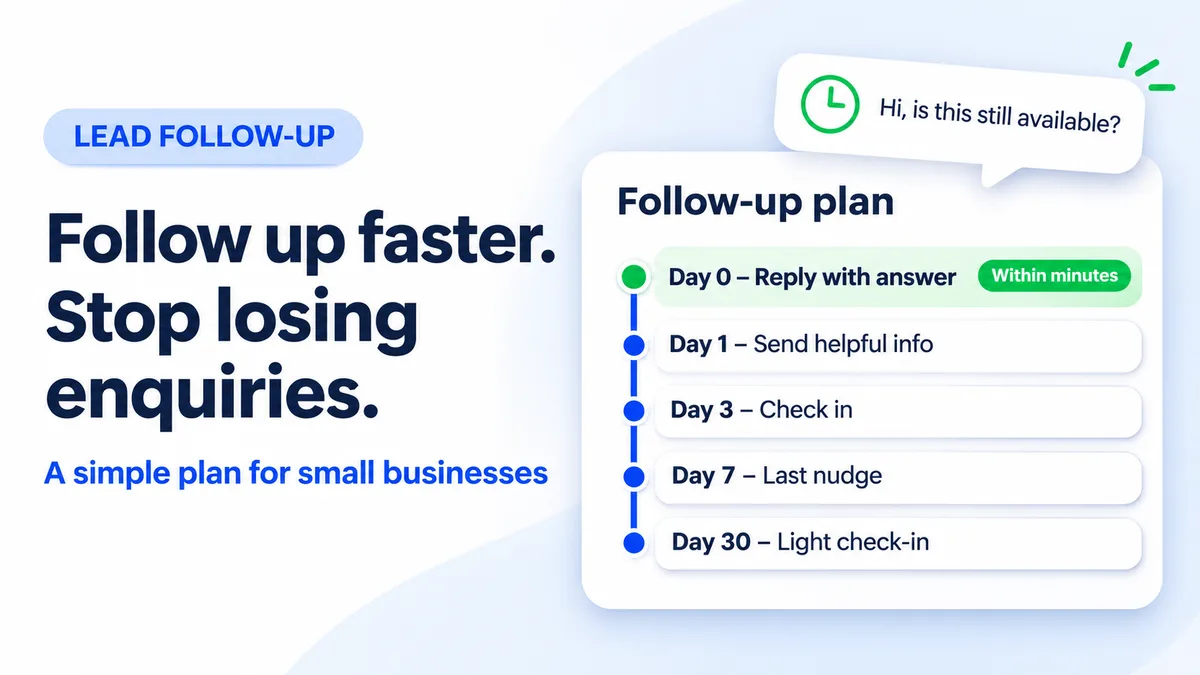
Many sales happen after the second or third contact, not the first. If a lead goes quiet, follow up on a schedule:
| When | What to send |
|---|---|
| Day 0 | First reply with answer and next step |
| Day 1 | Helpful follow-up: extra information, photos or a testimonial |
| Day 3 | Check in: "Did you get a chance to look at this?" |
| Day 7 | Last nudge with a reason to act (offer, limited slots) |
| Day 30 | Light check-in for leads who weren't ready |
Stop as soon as they reply, buy or say they're not interested.
Follow-up message templates#
Day 1: add value
Hi Ravi, here are a few photos and the floor plan of the 2BHK we discussed: [link]. Happy to answer any questions.
Day 3: check in
Hi Ravi, just checking whether you had a chance to look at the floor plan. Would a weekend site visit work for you?
Day 7: last nudge
Hi Ravi, this weekend we have a few site-visit slots left, and the early-booking price is available until the 30th. Shall I reserve a slot for you?
Day 30: long-term check-in
Hi Ravi, hope you're well! Are you still looking for a flat in Vijay Nagar? We have a few new options I can share.
Keep messages short and easy to read. Our free WhatsApp Text Formatter lets you preview bold prices and dates before sending.
Step 4: Make it easy for leads to reach you#
Faster follow-up starts with an easier first contact. Add a WhatsApp click-to-chat link everywhere: your Instagram bio, Google profile and ads. Use our free WhatsApp Link Generator, and add a chat button to your website with the WhatsApp chat button generator.
Step 5: Know what to automate first#
You don't have to automate everything. Start with the parts that are repetitive and time-sensitive:
- Instant first replies, so no lead waits, even at night.
- Answers to common questions such as price, location, availability and timing.
- Collecting lead details such as name, need, budget and preferred time.
- Scheduled follow-ups that stop automatically when the lead replies.
- Alerts to your team when a lead is ready to buy.
Keep people involved where judgement matters: negotiating, handling complaints and closing.
Put follow-up on autopilot#
NextAIBot brings WhatsApp, Instagram, Facebook and website enquiries into one shared inbox. An AI assistant replies instantly using your business information, collects lead details, sends follow-ups on schedule, and alerts your team when a lead is ready, so you can spend your time on the conversations that close sales.
Quick recap: gather every enquiry in one place, reply within minutes, follow a fixed follow-up schedule, keep messages short and helpful, and automate the repetitive first replies and reminders.
Found this useful? Share it.
Written by
NextAIBot Team
NextAIBot builds WhatsApp, Instagram and Google Business automation for growing businesses. Our team writes practical, step-by-step guides on customer messaging, reviews and lead follow-up.