WhatsApp Utility Templates: How to Create Them and Mistakes to Avoid
How to create WhatsApp utility template messages that get approved as utility, with examples, plus the common mistakes that get them recategorized as marketing.
7 min read


In this article9 sections
- The three template categories
- What counts as a utility template
- How to create a utility template (step by step)
- 9 mistakes that get utility templates marked as marketing
- What happens if Meta decides your template is marketing
- What repeated misuse can lead to
- A note on pricing
- Quick checklist before you submit
- Send utility updates automatically
If you send order updates, delivery alerts or payment reminders through the WhatsApp Business API, you'll use utility templates. Get them right and your important messages reach customers smoothly. Get them wrong and Meta may recategorize them as marketing, which changes how they're priced and delivered, and repeated mistakes can lead to restrictions on your account.
This guide explains what counts as a utility template, how to create one step by step, and the mistakes that most often get templates moved to marketing.
Checked against Meta's developer documentation in November 2026. Meta updates these rules from time to time, so check the linked docs for the latest details.
The three template categories#
Every WhatsApp template must be one of three categories:
| Category | Used for |
|---|---|
| Marketing | Promotions, offers, announcements, re-engagement and anything persuasive |
| Utility | Updates about a specific order, account or transaction the customer has with you |
| Authentication | One-time passwords and login codes |
What counts as a utility template#
Meta's template categorization guidelines set a two-part test. A utility template must:
- Be non-promotional, with no promotional or persuasive intent, and
- Be either specific to or requested by the user (about their order, account, services or transactions), or essential or critical to them, for example for their safety.
It has to pass both parts. A message about a customer's order that also includes a discount fails part 1, so it's marketing.
Typical utility use cases#
- Order management: order confirmed, shipped, out for delivery, delivered, refund processed
- Account alerts and updates: password changed, payment received, billing reminder for a saved payment method, appointment confirmed or rescheduled
- Feedback about a specific order or interaction: "How was your delivery of order #1042?"
- Continuing a conversation the customer asked to move to WhatsApp
- Opt-in management: confirming a customer's messaging preferences
How to create a utility template (step by step)#
- Open WhatsApp Manager and go to Message templates, then Create template.
- Choose the Utility category.
- Give the template a clear name using lowercase letters, numbers and underscores, such as
order_shipped_update. - Choose the language your customers will receive it in.
- Write the body. Use variables like
{{1}}and{{2}}for details that change, and add a realistic sample value for each one so reviewers understand the message. - Add buttons if useful, such as "Track order" (a link to the tracking page) or quick replies like "Reschedule".
- Submit the template for review, and keep an eye on its status and category.
Utility templates that work#
Order shipped
Hi {{1}}, your order {{2}} has been shipped and should arrive by {{3}}. You can track it using the button below.
Button: Track order
Appointment reminder
Hi {{1}}, this is a reminder of your appointment at {{2}} on {{3}} at {{4}}. Reply 1 to confirm or 2 to reschedule.
Payment received
Hi {{1}}, we've received your payment of ₹{{2}} for invoice {{3}}. Thank you!
Notice what they have in common: each one is about this customer's order, appointment or payment, and none of them tries to sell anything.
9 mistakes that get utility templates marked as marketing#
1. Adding an offer or discount#
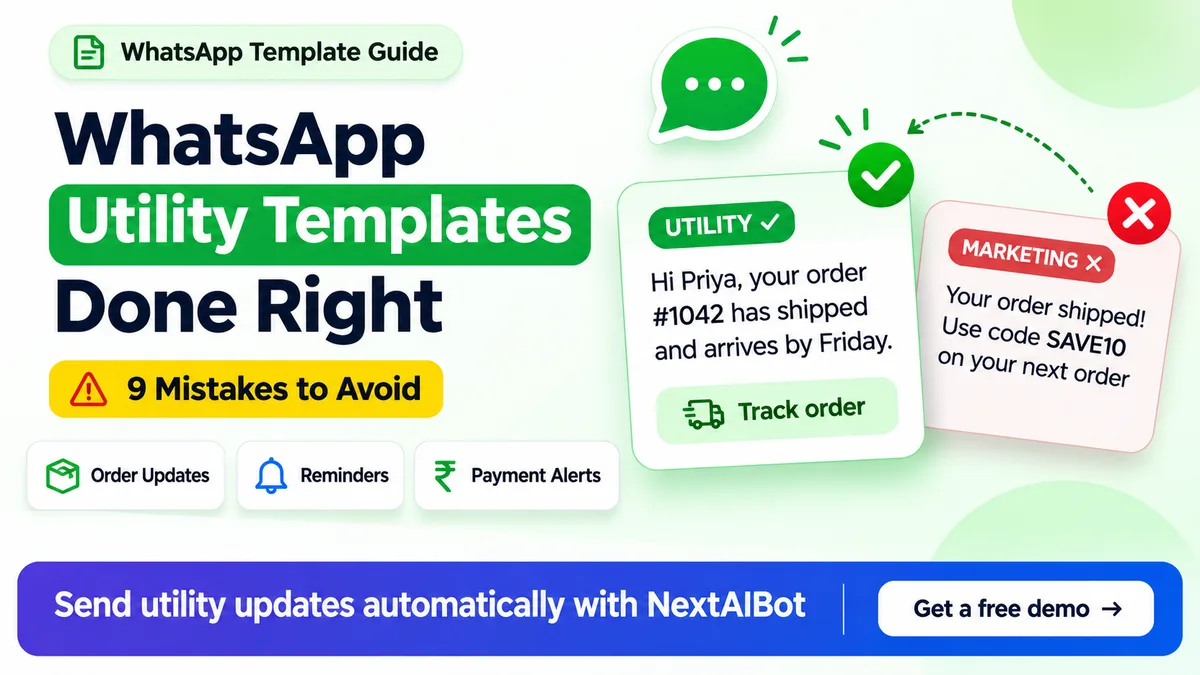
"Your order has shipped! Use code SAVE10 on your next purchase." The shipping update is utility, but the promo makes the whole template marketing. Meta treats mixed content as marketing.
Fix: keep the update clean. Send offers separately as a proper marketing template.
2. Upselling or cross-selling#
"Your order is confirmed. Customers who bought this also loved…" Recommendations are promotional, even inside an order message.
3. Using a generic feedback survey#
"Tell us how we're doing!" isn't utility. Meta says a general request for feedback won't be approved as utility.
Fix: tie it to a specific order or interaction: "How was the delivery of order {{1}}?"
4. Sending reminders that try to win customers back#
Cart reminders, "your subscription is about to expire, renew now" and "we miss you" messages are re-engagement. Meta counts these as marketing, even if the customer asked for them.
5. Writing vague templates#
A template that is just {{1}}, or says only "Congratulations!", is unclear. Meta's own examples treat unclear templates as marketing. Write enough fixed text to show exactly what the message is about.
6. Hiding promotional text inside variables#
Variables are for details like names, order numbers and dates. Using a variable to slip in promotional text when you send the message is misuse, and Meta can recategorize templates that are misused after approval.
7. Adding promo content when you edit an approved template#
Editing a template sends it for review again. Adding an offer or a "Shop now" button to an approved utility template is a quick way to have it changed to marketing.
8. Sending utility templates without a reason#
Utility templates must relate to something the customer did or asked for. Sending an "account update" to your whole list as a way to announce a sale isn't utility, however it's worded.
9. Ignoring category change notices#
Meta notifies you when it changes a template's category. If you think a change is wrong, you can ask for a review, but only within a time limit (see below). Don't ignore these notices.
What happens if Meta decides your template is marketing#
- At creation: since April 9, 2025, if you choose Utility but Meta decides the template is marketing, it's approved as marketing and can still be used. You can request a review within 60 days of the category change.
- After approval: Meta checks templates on an ongoing basis and can move a utility template to marketing. Businesses normally get a day's notice. Businesses that have already been warned about misuse can have templates changed instantly.
- How to request a review: in WhatsApp Manager, go to Business Support Home, open Template category updates, select the template and click Request review. You can also edit the template to fit the right category and resubmit it.
What repeated misuse can lead to#
Meta's guidelines describe escalating steps for businesses that keep misusing the utility category: a written warning, a cap on utility message volume for at least 7 days, then moving all approved utility templates to marketing and blocking new utility templates for 7 days (30 days for repeat violations), and restrictions across a whole business portfolio. The safest approach is simple: if a message sells, it's marketing.
A note on pricing#
Since July 1, 2025, Meta charges per delivered template message, and rates depend on the category and the customer's country. Pricing rules also change: as of October 1, 2026, utility messages sent while a customer service window is open are charged at the regular rate (they're still free inside the free entry point window that opens when someone messages you from a Click to WhatsApp ad). Check Meta's pricing page for current rates in your market.
Quick checklist before you submit#
- Is it about this customer's order, account, appointment or payment?
- Is there no offer, discount, recommendation or "shop now" link?
- Is any survey about a specific order or interaction?
- Is there enough fixed text to make the purpose clear?
- Do the variables hold only details like names, numbers and dates?
If you can answer yes to all five, you've got a utility template.
Send utility updates automatically#
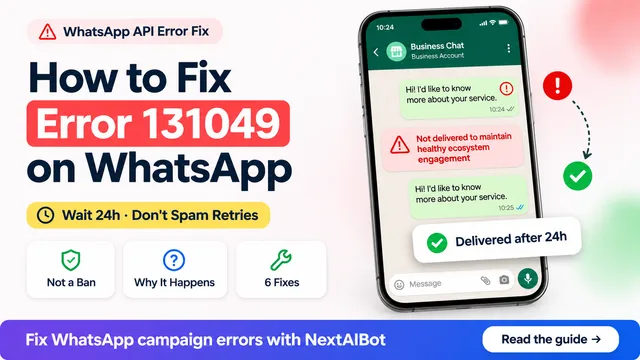
Order updates, appointment reminders and payment confirmations work best when they go out automatically, at the right moment. NextAIBot's WhatsApp automation can send approved templates when an order, booking or payment happens, and bring every customer reply into one inbox. For ready-to-use wording, see our payment reminder templates, and if you run campaigns too, read how to fix WhatsApp error 131049.
Quick recap: utility templates must be non-promotional and about the customer's own order, account or request. Keep offers, upsells, generic surveys and win-back reminders out of them, write clear templates with meaningful variables, and request a review within 60 days if Meta recategorizes one you believe is utility.
Found this useful? Share it.
Written by
NextAIBot Team
NextAIBot builds WhatsApp, Instagram and Google Business automation for growing businesses. Our team writes practical, step-by-step guides on customer messaging, reviews and lead follow-up.