WhatsApp Business API vs WhatsApp Business App (2026 Comparison)
WhatsApp Business App vs API compared side by side: cost, broadcast limits, team access, automation and integrations, plus how to choose the right one.

6 min read


In this article8 sections
- WhatsApp Business App vs API: comparison table
- What the WhatsApp Business App does well
- What the WhatsApp Business API adds
- How much each one costs
- Can you use the app and the API on the same number?
- Which one should you choose?
- How to move from the app to the API
- Get started with the WhatsApp Business API
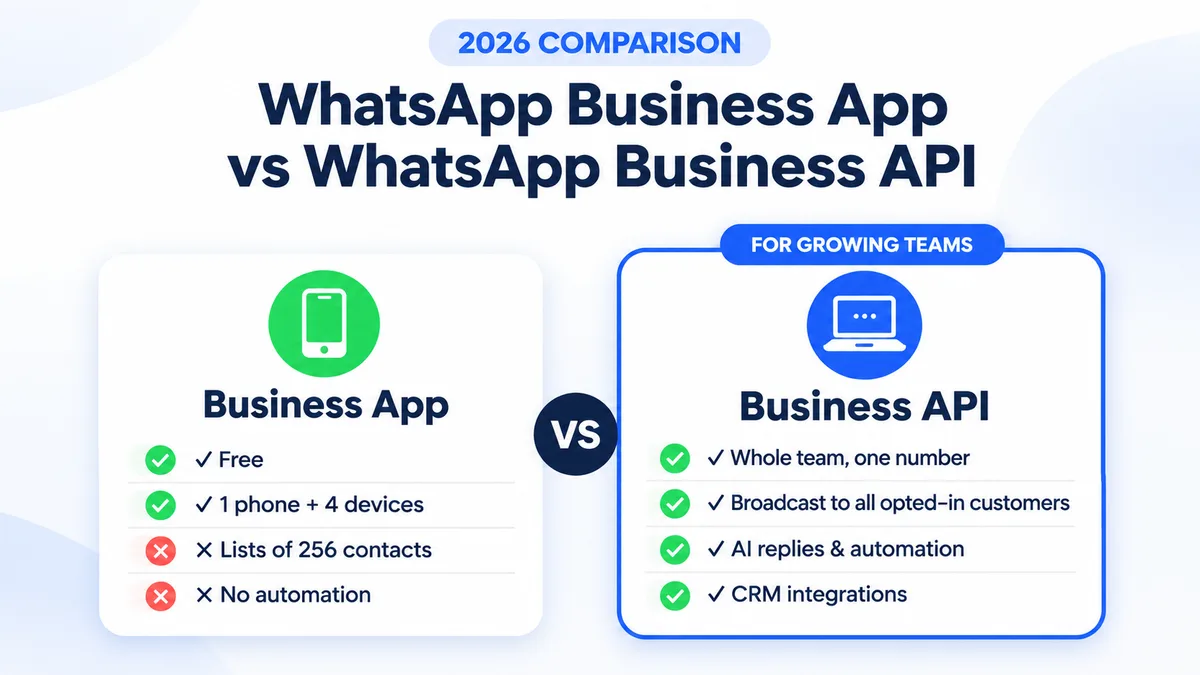
The WhatsApp Business App is a free app for one business owner to chat with customers from a phone. The WhatsApp Business API (officially the WhatsApp Business Platform) is Meta's version for businesses that need several team members, automation, broadcasts to large customer lists and connections to other software.
If you reply to customers yourself and message a few hundred people, the app is usually enough. Once a team shares the chats, you want to message customers who never saved your number, or you need messages to go out automatically, the API is the better fit.
Here's the full comparison.
Facts checked against Meta's developer documentation in November 2026. Meta updates its rules and prices from time to time.
WhatsApp Business App vs API: comparison table#
| WhatsApp Business App | WhatsApp Business API | |
|---|---|---|
| Cost | Free | Meta charges per delivered template message, plus your platform's fee. First 1,000 service replies a month are free |
| How you use it | Phone app, plus up to 4 linked devices | Through a platform such as NextAIBot, in a browser |
| Team members | Shared phone and linked devices; no chat assignment | As many agents as your platform allows, with chats assigned to each person |
| Broadcasts | Lists of up to 256 contacts; only people who saved your number receive them | Template messages to any customer who opted in; daily reach starts at 250 customers and grows to unlimited |
| Personalisation | Same text for everyone | Each message can include the customer's name, order number, amount and more |
| Messaging customers first | Any message, any time | Approved templates outside the 24-hour customer service window |
| Automation | Greeting message, away message, quick replies | Chatbots, AI replies, and messages triggered by orders, bookings or payments |
| Integrations | Catalogue only | CRM, online store, payment and booking tools, webhooks |
| Reports | Basic message statistics | Delivery, read and reply reports per campaign, depending on the platform |
| Template approval | Not needed | Business-initiated templates are reviewed by Meta |
What the WhatsApp Business App does well#
The app is genuinely useful, and for many small businesses it's all they need:
- It's free. No per-message charges, no subscription.
- It's quick to set up. Install it, verify your number and add your business profile.
- It has handy built-in tools: a catalogue, labels, quick replies, and automatic greeting and away messages.
- You can message anyone, any time, without templates or approvals.
The limits show up as you grow. A broadcast list holds at most 256 contacts and only reaches people who saved your number. Chats live on one phone and up to four linked devices, with no way to assign a conversation to a colleague. And nothing happens unless someone types it.
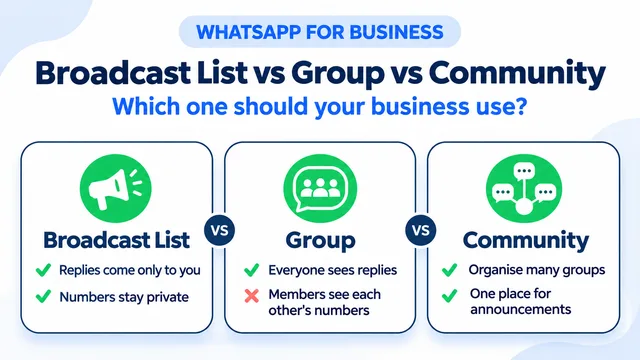
For a detailed look at broadcast lists, groups and communities in the app, read WhatsApp broadcast list vs group vs community.
What the WhatsApp Business API adds#
The API has no app of its own. You use it through a platform that gives your team an inbox and tools on top. That's what unlocks:
- A shared team inbox. Everyone works from one company number, and each chat is assigned to the right person. See NextAIBot's unified inbox.
- Broadcasts at scale. Send approved templates to any customer who agreed to hear from you, whether or not they saved your number. Meta starts most businesses at 250 unique customers in 24 hours and raises the limit to 2,000, 10,000, 100,000 and then unlimited as you send messages people value.
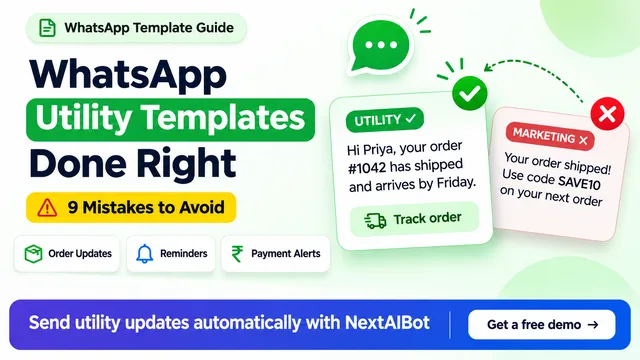
- Personalised messages. "Hi Priya, your order #1042 has shipped" instead of the same text for everyone.
- Automation and AI. Answer common questions instantly, qualify leads and send reminders on their own. See AI chatbot for WhatsApp.
- Integrations. Connect your CRM, online store, booking or payment tools, so an order or payment sends the right message automatically.
There are rules that come with it. Messages you send first, or more than 24 hours after a customer's last message, must use templates Meta has approved. Customers must opt in. And you pay for most template messages.
How much each one costs#
The app is free. The API has two parts:
- Meta's charge per delivered template message. It depends on the message type and the customer's country. For Indian numbers, from 1 October 2026, a marketing message costs ₹0.8631 and a utility or authentication message costs ₹0.115, plus GST. The first 1,000 service replies each month are free for every number.
- Your platform's fee for the inbox, automation and support.
So 1,000 marketing messages to Indian customers cost about ₹863 from Meta, before GST. Use our free WhatsApp API pricing calculator to estimate your own monthly cost.
Can you use the app and the API on the same number?#
Yes, in many cases. Meta's coexistence option lets a business keep using the WhatsApp Business app on its number while also sending messages through the API. Chats are mirrored between the two, and messages you send from the app stay free.
There are trade-offs. Once a number is connected this way, broadcast lists in the app are switched off (existing lists become read-only), group chats aren't synced, and features such as disappearing and view-once messages are turned off for one-to-one chats. Broadcasts move to the API instead.
Which one should you choose?#
Stay with the WhatsApp Business App if:
- You answer customers yourself, from one phone.
- Your broadcasts reach a few hundred customers who saved your number.
- You don't need messages to go out automatically.
Move to the WhatsApp Business API if:
- Two or more people reply to customers.
- You want to message customers who haven't saved your number, or more than a few hundred at a time.
- You send order updates, payment reminders or appointment reminders regularly.
- You want AI to answer common questions, or chats to flow into your CRM.
Not sure the app is holding you back? We explain the warning signs in why you need the WhatsApp Business API when the app can broadcast.
How to move from the app to the API#
- Choose a platform that gives you the inbox, broadcasts and automation you need.
- Connect your number. Keep your current number with coexistence, or move it fully to the API.
- Set up your business profile with your name, logo, description and website.
- Create your first templates, such as an order update and a festive offer, and submit them for approval.
- Collect opt-ins on your website, checkout, forms and in-store QR codes.
- Invite your team and switch on automations.
Get started with the WhatsApp Business API#
NextAIBot connects your number to the official WhatsApp Business API and gives your team one inbox, WhatsApp broadcasts, AI replies and automatic reminders. If you're outside India, see how we help businesses in your city on our WhatsApp API by city page.
Quick recap: the WhatsApp Business App is free and great for one person and a small customer list. The WhatsApp Business API costs per message but adds a team inbox, broadcasts to any opted-in customer, personalisation, automation and integrations. Most growing businesses start on the app and move to the API when one phone and 256-contact lists stop being enough.
Found this useful? Share it.
Written by
NextAIBot Team
NextAIBot builds WhatsApp, Instagram and Google Business automation for growing businesses. Our team writes practical, step-by-step guides on customer messaging, reviews and lead follow-up.