WhatsApp Broadcast List vs Group vs Community for Business
When to use a WhatsApp broadcast list, group, community or channel to reach customers, with the limits of each and when to move to the WhatsApp Business API.

4 min read


In this article8 sections
WhatsApp gives businesses several ways to message many people at once: broadcast lists, groups, communities and channels. They look similar but behave very differently, and choosing the wrong one can annoy customers or expose their phone numbers to each other.
Here's how each one works and when to use it.
Quick comparison#
| Broadcast list | Group | Community | Channel | |
|---|---|---|---|---|
| Who sees replies | Only you | Everyone in the group | Depends on the group | Only reactions/poll votes |
| Members see each other's numbers | No | Yes | Yes, inside groups | No |
| Best for | Personal-feeling updates | Small, interactive circles | Organising several groups | Public one-way updates |
| Needs recipients to save your number | Yes | No | No | No |
WhatsApp changes limits from time to time, so check the current numbers in the app before planning around them.
Broadcast lists#
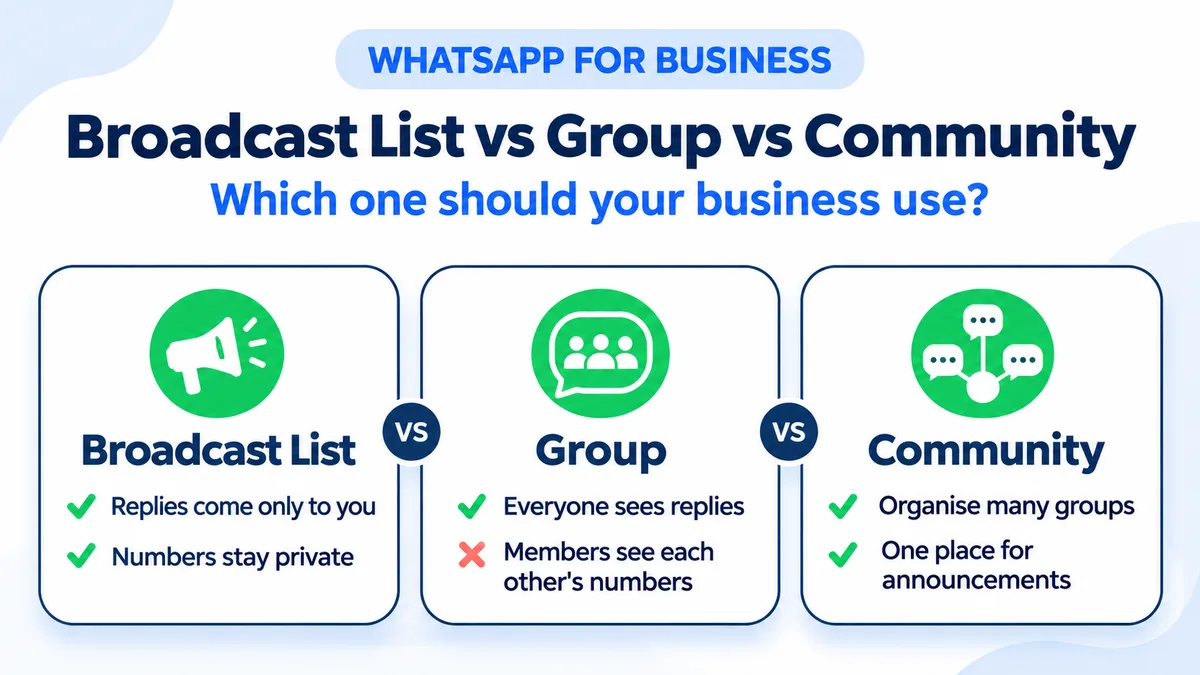
A broadcast list sends one message to many contacts, but each person receives it as a private message from you. Replies come back to you individually.
Good for: offers, reminders and updates that should feel personal.
Limits to know:
- Messages only reach people who have saved your number in their contacts. Others won't receive it, and WhatsApp doesn't warn you.
- Each list has a cap on recipients (currently 256 in the app).
- You still have to manage lists by hand.
Tip: encourage customers to save your number, for example by including it on your bill: "Save this number to get our offers on WhatsApp."
Groups#
A group is a shared conversation. Everyone sees every message and every member's number.
Good for: small, interactive circles where members benefit from talking to each other, such as a batch of students, a residents' society or a VIP customer club.
Watch out for:
- Privacy. Members can see each other's phone numbers. Don't add customers to a group without their consent.
- Noise. Busy groups get muted, and important messages get lost.
- Use admin-only messaging if you just want to make announcements.
Communities#
A community brings related groups together under one umbrella, with an announcement group that reaches all members.
Good for: schools, coaching institutes, housing societies and franchises that run several groups (for example one per batch or branch) and want to send occasional announcements to everyone.
Channels#
A channel is a one-way broadcast tool. Followers see your updates, but they can't reply in the channel, and followers can't see each other's numbers.
Good for: public updates such as new arrivals, tips and announcements for anyone who chooses to follow. It's more like a social media feed than a conversation.
Limitation: you can't hold one-to-one conversations or personalise messages in a channel.
Which should you use?#
- Want to send offers that feel personal and get replies? Broadcast list.
- Want members to talk to each other? Group (with consent).
- Running many related groups? Community.
- Want public, one-way updates anyone can follow? Channel.
Make your broadcasts work better#
- Write for a phone screen. Short lines, one offer, one clear action.
- Format key details. Bold the price and deadline. Preview with our free WhatsApp Text Formatter.
- Give people an easy way in. Share a click-to-chat link or QR code so new customers can message you and save your number. Create one with our WhatsApp Link Generator.
- Don't overdo it. Too many messages lead to people blocking or reporting you, which can get your number restricted.
When you outgrow the app#
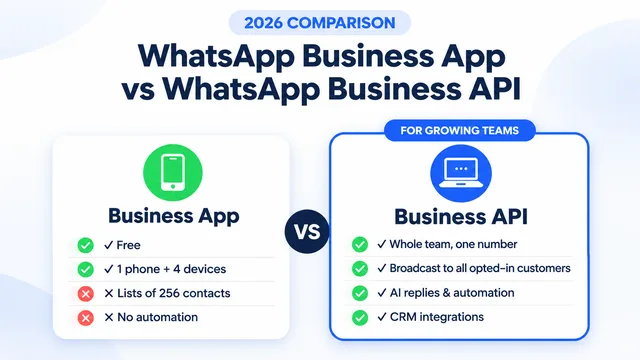
Broadcast lists in the WhatsApp Business app work for small audiences, but they get hard to manage as you grow: the save-my-number requirement, recipient caps, no personalisation and no reporting.
The WhatsApp Business API removes most of these limits. With NextAIBot's WhatsApp broadcast you can send approved template messages to opted-in customers, personalise each message with their name and details, see delivery and read reports, and handle every reply in a shared team inbox with AI answering common questions. Learn more about the difference between the WhatsApp Business app and API, or read why you need the WhatsApp Business API when the app can broadcast.
Quick recap: broadcast lists for personal-feeling offers, groups for interactive circles with consent, communities for organising many groups, channels for public one-way updates, and the Business API when you need scale and personalisation.
Found this useful? Share it.
Written by
NextAIBot Team
NextAIBot builds WhatsApp, Instagram and Google Business automation for growing businesses. Our team writes practical, step-by-step guides on customer messaging, reviews and lead follow-up.