Why You Need the WhatsApp Business API If the App Can Broadcast
The WhatsApp Business app can broadcast for free, so why pay for the API? The 7 limits of app broadcasts, what the API fixes, and when the app is enough.

7 min read


In this article8 sections
The free WhatsApp Business app already lets you send broadcasts. So why would a business pay for the WhatsApp Business API?
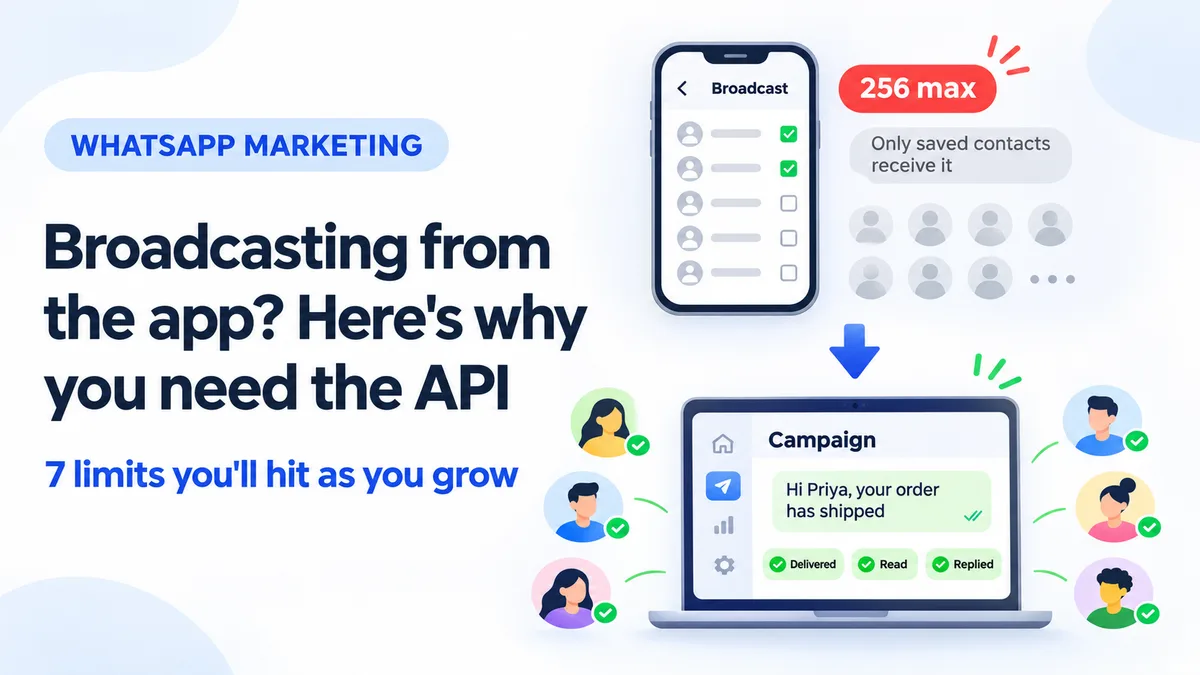
Because app broadcasts only reach people who saved your number, top out at 256 contacts per list, send the same text to everyone and depend on one phone. That's fine for a small shop with loyal regulars. It stops working once you have hundreds of new leads, a team handling chats, or messages that need to go out automatically.
This guide covers the seven limits you'll hit with app broadcasts, what the API changes, what it costs, and when the app really is enough.
How broadcasting works in the WhatsApp Business app#
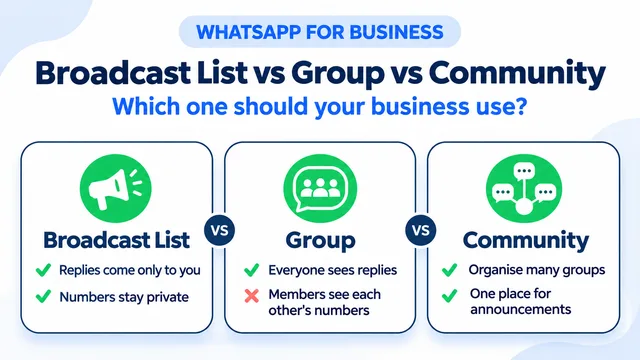
In the app, you create a broadcast list, add contacts and send one message. Each person receives it as a normal one-to-one chat, and replies come only to you. It's free and simple, which is why so many businesses start here.
For how lists compare with groups and communities, see WhatsApp broadcast list vs group vs community.
7 limits of broadcasting from the WhatsApp Business app#
1. Only people who saved your number receive it#
This is the biggest one. A broadcast only reaches contacts who have saved your number in their phone. Everyone else on the list simply never gets it, and you can't tell who did.
Think about where your customers come from: Instagram ads, Google, your website, walk-ins. Most new leads message you once and never save your number, so your broadcast misses exactly the people you most want to convert.
2. Each list holds at most 256 contacts#
To reach 2,000 customers you need eight lists, eight sends and eight sets of replies to manage. Many businesses end up spending an evening copying contacts between lists before every offer.
3. Everyone gets the same message#
App broadcasts can't insert each customer's name, order number, amount due or appointment time. "Hi Priya, your ₹1,200 payment is due on Friday" is impossible; "Hi, your payment is due" is all you get.
Personal messages get more replies, and for reminders and order updates they're essential.
4. One phone, no teamwork#
Every reply to a broadcast lands in the same app, on one phone plus up to four linked devices. There's no way to assign a chat to a colleague, see who has replied, or stop two people answering the same customer. When the person holding the phone is busy or on leave, customers wait.
5. Nothing happens automatically#
The app can send a greeting message, an away message and quick replies, but it can't send a message because something happened. It won't send an order confirmation when someone buys on your website, a reminder the day before an appointment, or a payment reminder when an invoice is due. Someone has to type or forward every one.
6. You can't measure what's working#
Beyond basic message statistics and the read ticks on each chat, you can't see how a broadcast performed: how many people received it, read it, replied or bought. Without that, you can't improve your offers.
7. Mass messaging from the app puts your number at risk#
WhatsApp watches how people react to your messages. If many recipients block or report your number, WhatsApp can restrict or ban it, and with it every customer chat on that phone. Sending large volumes from the app, especially to people who didn't ask to hear from you, is one of the quickest ways to get there. Tools that automate the app unofficially carry the same risk.
What the WhatsApp Business API fixes#
The API is Meta's official way for businesses to message customers at scale. You use it through a platform such as NextAIBot, which gives your team an inbox and broadcast tools on top.
| App broadcast limit | With the WhatsApp Business API |
|---|---|
| Only reaches people who saved your number | Reaches any customer who opted in, saved or not |
| 256 contacts per list | Send to your whole opted-in list in one campaign, within Meta's daily limit |
| Same text for everyone | Each message personalised with name, order, amount and date |
| One phone, no assignment | Shared inbox; chats assigned to the right team member |
| No automation | Messages triggered by orders, bookings and payments, plus AI replies |
| No campaign reports | Delivery, read and reply reports for each campaign |
| Risky at volume | Official channel with approved templates and opt-in rules |
How the API's sending limit works#
The API also has a limit, but it grows with you. Meta caps how many different customers a business can start conversations with in a rolling 24 hours. Most businesses start at 250, can reach 2,000 by verifying their business or sending good-quality messages, and then move up automatically to 10,000, 100,000 and unlimited as long as customers respond well. Replies to customers who message you don't count towards it.
What it costs#
The app is free; the API isn't, so it's worth doing the maths. Meta charges per delivered template message, by type and the customer's country. For Indian numbers, from 1 October 2026:
| Message type | Example | Meta's price per message |
|---|---|---|
| Marketing | Diwali offer, new arrivals | ₹0.8631 |
| Utility | Order shipped, payment reminder | ₹0.115 |
| Authentication | Login OTP | ₹0.115 |
| Service | Replies within 24 hours of a customer's message | First 1,000 a month free, then ₹0.115 |
Prices are before GST, and your platform's fee is extra. A monthly offer to 2,000 customers plus 1,000 order updates costs about ₹1,841 from Meta, before GST. Try your own numbers in our free WhatsApp API pricing calculator.
Compare that with the cost of the alternative: leads who never see your offer, reminders nobody sent, and a team member spending hours forwarding messages.
When the WhatsApp Business app is enough#
Don't switch just because the API exists. The app is the right choice if:
- You handle every chat yourself.
- Most of your customers are regulars who have saved your number.
- Your broadcasts go to a few hundred people at most.
- You don't send order, payment or appointment updates regularly.
Signs it's time to move to the API#
- Leads from ads, Google or your website say they never got your offer.
- You're managing more than two or three broadcast lists.
- More than one person needs to answer customers.
- You want reminders and order updates to go out on their own.
- You want AI to answer common questions after hours.
- You need to know which campaigns actually bring sales.
Can you keep the app?#
Often, yes. With Meta's coexistence option, you can connect your existing WhatsApp Business app number to the API and keep chatting one-to-one in the app, with messages synced between the two. Broadcast lists in the app are switched off once you do, because broadcasts move to the API. Read the full WhatsApp Business API vs WhatsApp Business App comparison for everything that changes.
Make the switch#
NextAIBot connects your number to the official WhatsApp Business API and gives you personalised WhatsApp broadcasts, a shared team inbox, AI replies and automatic reminders in one place. Before your first campaign, make your offer easy to read with our WhatsApp text formatter, and use the WhatsApp link generator to get more customers to message you and opt in.
Quick recap: app broadcasts are free but only reach people who saved your number, cap each list at 256, can't personalise or automate, and run on one phone. The WhatsApp Business API reaches any opted-in customer, personalises every message, automates reminders and updates, and lets a whole team share one number, for a per-message cost that's usually small next to the sales it brings in.
Found this useful? Share it.
Written by
NextAIBot Team
NextAIBot builds WhatsApp, Instagram and Google Business automation for growing businesses. Our team writes practical, step-by-step guides on customer messaging, reviews and lead follow-up.