WhatsApp Payment Reminder Messages (12 Polite Templates)
Copy-ready WhatsApp payment reminder templates for before, on and after the due date, plus tips to get paid faster without upsetting customers.

4 min read


In this article9 sections
Chasing payments is awkward, so many businesses either don't send reminders or send them too late. A short, polite WhatsApp message usually works better than a call or an email: customers see it quickly, and they can pay straight from a link in the chat.
Below are ready-to-use templates for every stage, from a friendly heads-up to a final notice, plus a few rules that help you get paid faster.
Why WhatsApp works well for payment reminders#
- People see it. WhatsApp messages tend to get read much sooner than email.
- Paying is one tap away. Add a UPI or payment link and the customer can pay without leaving the chat.
- It feels personal. A message from a business they know reads very differently from an automated email.
Before you send: 5 rules#
- Include the essentials every time: invoice number, amount, due date and how to pay.
- Add a payment link or UPI ID. Every extra step delays payment.
- Stay friendly in the first reminders. Most late payments are forgetfulness, not refusal.
- Send at a sensible time. Business hours on weekdays, not late at night.
- Only message customers who have agreed to hear from you on WhatsApp.
Templates: before the due date#
1. Friendly heads-up (3 days before)
Hi Rahul, a quick reminder that invoice #1042 for ₹4,500 is due on 20 Nov.
You can pay here: [payment link]
Thank you! – Team Sharma Traders
2. Subscription renewal
Hi Neha, your monthly plan renews on 1 Dec for ₹999. Please make sure your payment method is up to date so there's no interruption.
Renew now: [link]
3. Fee reminder (coaching, schools, clubs)
Dear Parent, the December fee of ₹3,000 for Aarav is due by 5 Dec.
Pay via UPI: sharmaacademy@upi or [link]
Please ignore this if already paid.
Templates: on the due date#
4. Due today
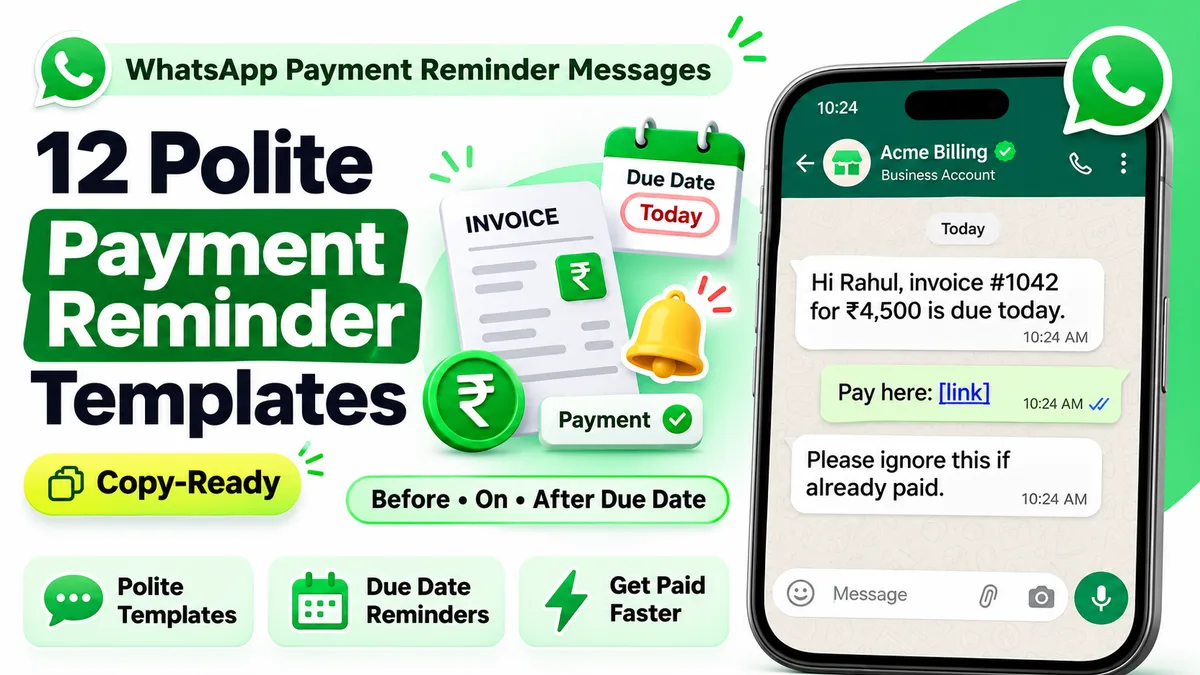
Hi Rahul, invoice #1042 for ₹4,500 is due today. Pay in one tap here: [link]
Already paid? Just reply with the transaction ID and we'll update our records.
5. EMI or instalment
Hi Priya, your 3rd instalment of ₹2,000 is due today. Pay here: [link]
Reply HELP if you'd like to talk to us.
Templates: after the due date#
6. Gentle first follow-up (2–3 days late)
Hi Rahul, just checking in on invoice #1042 for ₹4,500, which was due on 20 Nov. It may have slipped through.
Pay here: [link]
7. Offer help
Hi Rahul, we noticed invoice #1042 is still open. If something's holding it up, such as a question about the invoice, just reply here and we'll sort it out.
8. Second follow-up (7 days late)
Hi Rahul, a reminder that invoice #1042 for ₹4,500 is now 7 days overdue. Please arrange payment by 30 Nov.
[link]
9. Final notice (firm, still polite)
Hi Rahul, despite earlier reminders, invoice #1042 for ₹4,500 remains unpaid. Please clear it by 5 Dec to avoid a pause in service.
[link] · Call us on 98765 43210 if you need to discuss this.
Templates: after payment#
10. Payment received
Thank you, Rahul! We've received ₹4,500 for invoice #1042. Your receipt: [link]
11. Partial payment received
Thanks, Rahul. We've received ₹2,000 against invoice #1042. ₹2,500 is still pending. Pay the balance here: [link]
12. Thank-you plus review request
Thanks for your payment, Neha! If you've been happy with our service, a quick Google review would mean a lot: [review link]
You can create that review link in seconds with our free Google Review Link Generator.
Make your reminders easier to read#
Use bold for the amount and due date, and keep each message to a few short lines. You can preview formatting before sending with our free WhatsApp Text Formatter. For example, *₹4,500* shows the amount in bold.
A simple reminder schedule#
| When | Message |
|---|---|
| 3 days before | Friendly heads-up (1) |
| Due date | Due today (4) |
| 3 days after | Gentle follow-up (6) |
| 7 days after | Second follow-up (8) |
| 14 days after | Final notice (9) |
| On payment | Payment received (10) |
Stop sending reminders by hand#
Sending reminders one by one, tracking who has paid and following up on time takes hours every month. With the WhatsApp Business API and NextAIBot, you can send approved reminder templates automatically on a schedule, personalise each message with the customer's name, amount and due date, and stop reminders as soon as a payment comes in.
Quick recap: always include the invoice, amount, due date and payment link; start friendly; follow a fixed schedule; and say thank you when the payment arrives.
Found this useful? Share it.
Written by
NextAIBot Team
NextAIBot builds WhatsApp, Instagram and Google Business automation for growing businesses. Our team writes practical, step-by-step guides on customer messaging, reviews and lead follow-up.